What a Homoglyph Attack Looks Like in Your Inbox
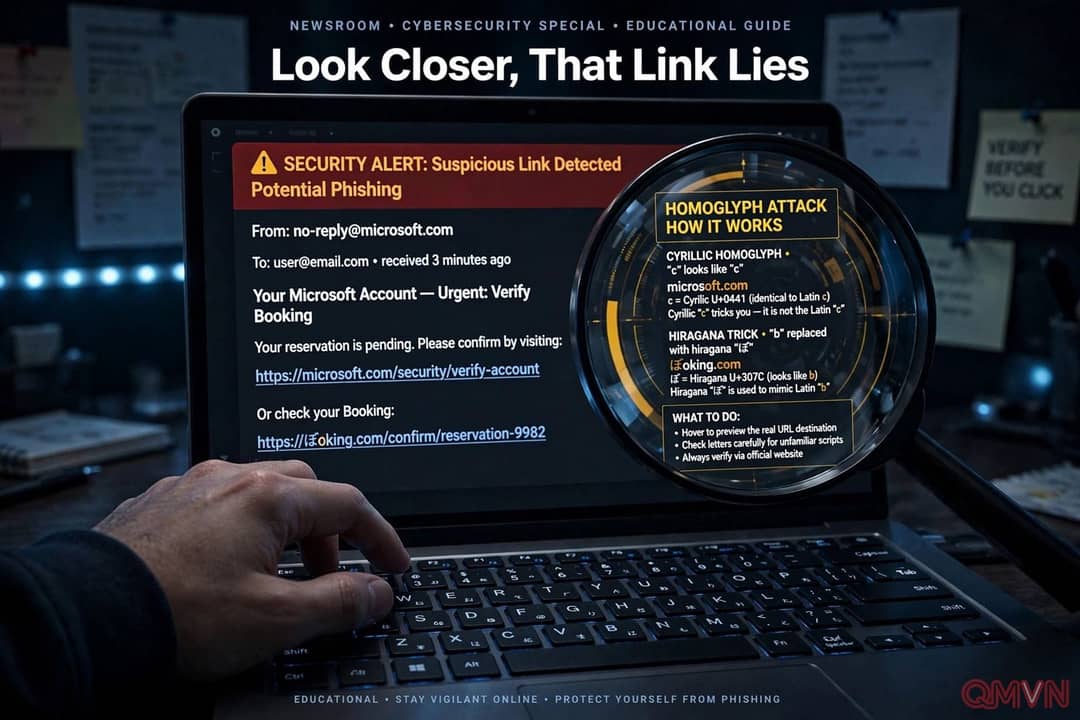
You have read an email carefully and it looks legitimate. The link it asks you to click has no strange numbers or extra parts in the URL. You feel safe to continue. But if you look a little closer, you might notice a tiny flaw in one character. Like the title of this article, instead of letter a, we used Cyrillic а.
Criminals can use letters from different alphabets to create URLs that look almost identical to real ones but actually lead to a fake site or mailbox. From there they can collect personal information to use in their scams. Many other letters and symbols are also easily swapped. The Cyrillic letters а, с, е, о, р, х and у have optical counterparts in basic Latin alphabet and look close or identical to a, c, e, o, p, x and y, according to security documentation.
Why Phishing Now Prefers Links Over Attachments
Most phishing attacks today are designed to direct users to links rather than downloading attachments, Moore said. Attachments can be easily scanned and detected by security software if they are malicious.
Therefore criminals need to design their websites so links look legitimate and cleverly ask people to click without thinking. A fake Microsoft login page may use с in Cyrillic alphabet instead of c in Latin, microsoft versus microsoft, creating a homograph that fools even cautious users in some fonts.